ScorecardsBuilding a scorecardHow to
Bills: positions, weights and rationale
Set your position on each bill, how much it counts, which roll call is scored, and the public rationale shown with the score.
Applies toEditor license
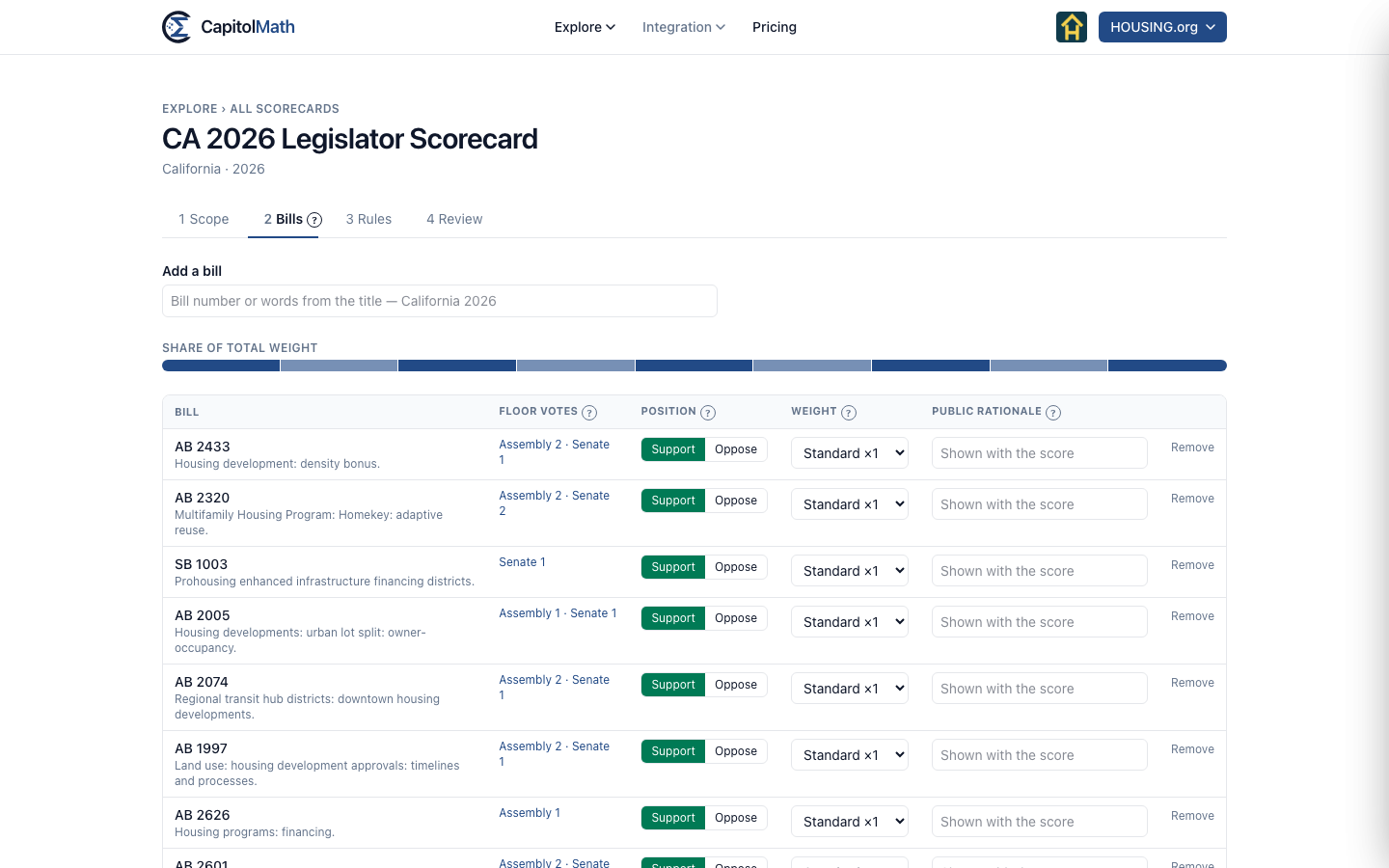
The Bills step is where the scorecard says what your organization thinks: the position you took on each bill, how much each one counts, and, if you choose, why. Each row shows the bill, its floor votes, its Position, its Weight and its Public rationale.
Adding and removing bills#
Bills from a saved view or list are already here. To add another, type a bill number or words from its title in Add a bill and choose it from the matches; only bills from the scorecard's legislature and session are offered, each with how many floor votes it has had. A bill you add starts as Support, Standard ×1. Remove takes a bill out. A scorecard holds up to 200 bills.
Select a bill's number to read its full record in a panel, without leaving the step.
Position#
Choose Support or Oppose. A member earns the bill's weight when their recorded floor vote agrees with your position: a yes on a bill you support, or a no on one you oppose.
Weights#
A bill's weight is how much it counts against the others. Choose a tier:
| Tier | Weight |
|---|---|
| Key vote | ×3 |
| Important | ×2 |
| Standard | ×1 |
| Custom | You choose |
A key vote counts three times a standard bill. Custom opens a box for a weight of your own, from 0.5 to 100 in steps of 0.5.
The Share of total weight bar above the table shows how the total is split across the bills. When there are more than two bills and one carries over a quarter of the total, its segment turns amber, and the Review step flags it, because one vote would then decide much of every score.
Which roll call counts#
Each bill is scored on its latest floor vote in each chamber you're scoring. The Floor votes column counts a bill's recorded floor roll calls per chamber; select it to choose a different one under Chamber roll call scored. Each option shows the date, the motion and the yes–no count, and the default is marked (latest). Choose another when an earlier floor vote is the one your position is about.
A bill showing No recorded floor vote contributes nothing to anyone's score. It isn't an error, but the Review step lists it so you can decide whether to keep it.
Public rationale#
The rationale is one or two sentences, up to 280 characters, saying why your organization took its position. It's shown with the score: on the Bills tab, beside the bill in each legislator's voting record, and in any widget that shows the scorecard. Write it for the public, because anyone who sees the scorecard sees it.