SharingWebhooksConcept
About webhooks
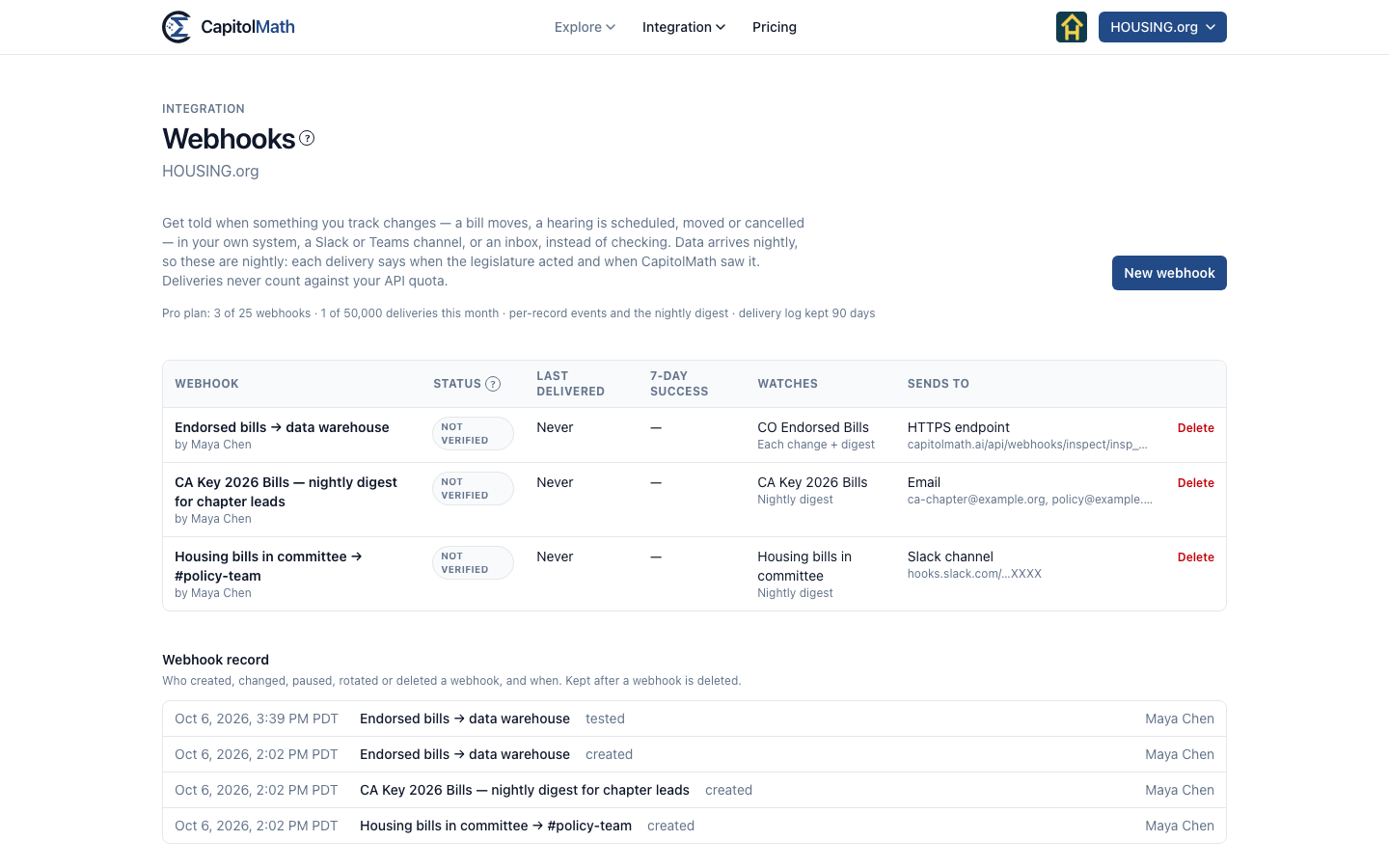
What a webhook watches, nightly digest versus each change, what each status means, the delivery log and signing.
A webhook tells you when something you track changes — a bill moves, a roll call is recorded, a hearing is scheduled, moved or canceled — so you don't have to check. It can deliver to your own system, a Slack or Microsoft Teams channel, or an inbox.
CapitolMath's data arrives nightly, so webhooks are nightly too: after each update, each delivery says when the legislature acted and when CapitolMath saw it. Your team's own tracking — a position changed, a new owner, a note added — is sent within minutes, and only what the webhook's owner can see. See Our tracking. Deliveries never count against your API quota.
Members with a Full license build and change webhooks. The organization's Owners and Admins can see every webhook and its delivery log, and pause or delete any of them.
What a webhook watches#
Its scope is one of:
- A saved view you can see — of bills, meetings, officials or tracked items, including a list. The view's filters decide what's in scope, and change with it: edit the view and the webhook follows.
- Everything your plan covers — every bill, meeting and official in every jurisdiction, or in your plan's one state.
The scope decides which events you can choose — bill events for a view of bills, calendar events for a view of meetings. See Webhook event types.
A webhook follows a saved view the organization can see, never one person's Bills I watch. On a plan that covers one state, a view reaching beyond it can't be chosen, and every delivery is held to that state even if the view is widened later.
Nightly digest or each change#
| Delivery | What it sends |
|---|---|
| Nightly digest | One delivery after each nightly update: what changed in scope, counted by kind, with the first few examples. |
| Each change | One delivery per change, in order, each with its own id — for systems, not for people. |
| Each change, and the digest | Both. |
When a night's update covers the webhook's jurisdictions but finds nothing new, the digest still arrives and says so — a quiet legislature is never mistaken for a broken feed. Every new webhook also starts with An update is late and Coverage changes, for the same reason.
Each change needs a plan that includes it; email is always the digest. See Plans and what they include.
Statuses#
| Status | Means |
|---|---|
| Not verified | Created, but not sending — and collecting nothing. Send a test; once the destination answers, activate it. Changing a webhook's destination returns it here. See what Not verified means. |
| Active | Sending. |
| Paused | Someone paused it, or someone other than its owner changed the view it sends from. New events are held for 7 days. After a change to its view, only its owner can resume it, and what was made from the changed view is dropped; see Whose webhook it is. |
| Failing | Three deliveries in a row failed. They're retried with growing gaps for about 24 hours, and the organization's Owners and Admins are emailed at once. |
| Disabled | It went on failing for a day. Owners and Admins are emailed the endpoint and its last response, and new events are held for 7 days. |
To restart a paused, failing or disabled webhook, a member with a Full license opens it and selects Resume. If events were held, choose Send them, then resume or Skip them; resume from now.
The delivery log#
Each webhook's page keeps every delivery attempt, with the full request and response, for as long as your plan keeps the log. Filter it to Delivered or Failed, and replay one event — or everything in a time range, say while your endpoint was down. Replayed events keep their original ids.
The Webhook record on the list of webhooks shows who created, changed, paused, rotated or deleted a webhook, and when. It's kept after a webhook is deleted.
Signing#
Every delivery to an HTTPS endpoint is signed with the webhook's signing secret, shown once when you create it. The CapitolMath-Signature header carries an HMAC-SHA256 of the delivery's time and body, so your endpoint can check it came from CapitolMath and isn't stale. The webhook's page shows how, in Node.js and Python.
Rotate secret makes a new one. The old secret keeps signing alongside it for 24 hours, so you can switch over without dropping a delivery. Slack, Teams and email deliveries don't use a signing secret.