ScorecardsBuilding a scorecardHow to
Reviewing before you save
The checks on the Review step — what each flags and what to do — and saving the scorecard.
Applies toEditor license
The Review step is the last look before a scorecard is saved. It shows the scores exactly as the saved scorecard will, opens with checks for the problems that make a scorecard hard to defend, and holds the display options.
Review and save#
-
On the Rules step, select Next.
-
Read Before you save. Amber items are warnings worth fixing; the others are for your information. When there's nothing to flag, it says so.
-
To fix something, select its step at the top — Bills or Rules — make the change, and come back. The checks and scores are worked out again from your draft.
-
Set the Display options: Color by party, Viewers can change the filters, and which Tabs show.
-
Look over the scores. Any filters and sorts you set here are saved with the scorecard, as the way its results open.
-
Select Save scorecard, or Save changes when you're editing one.
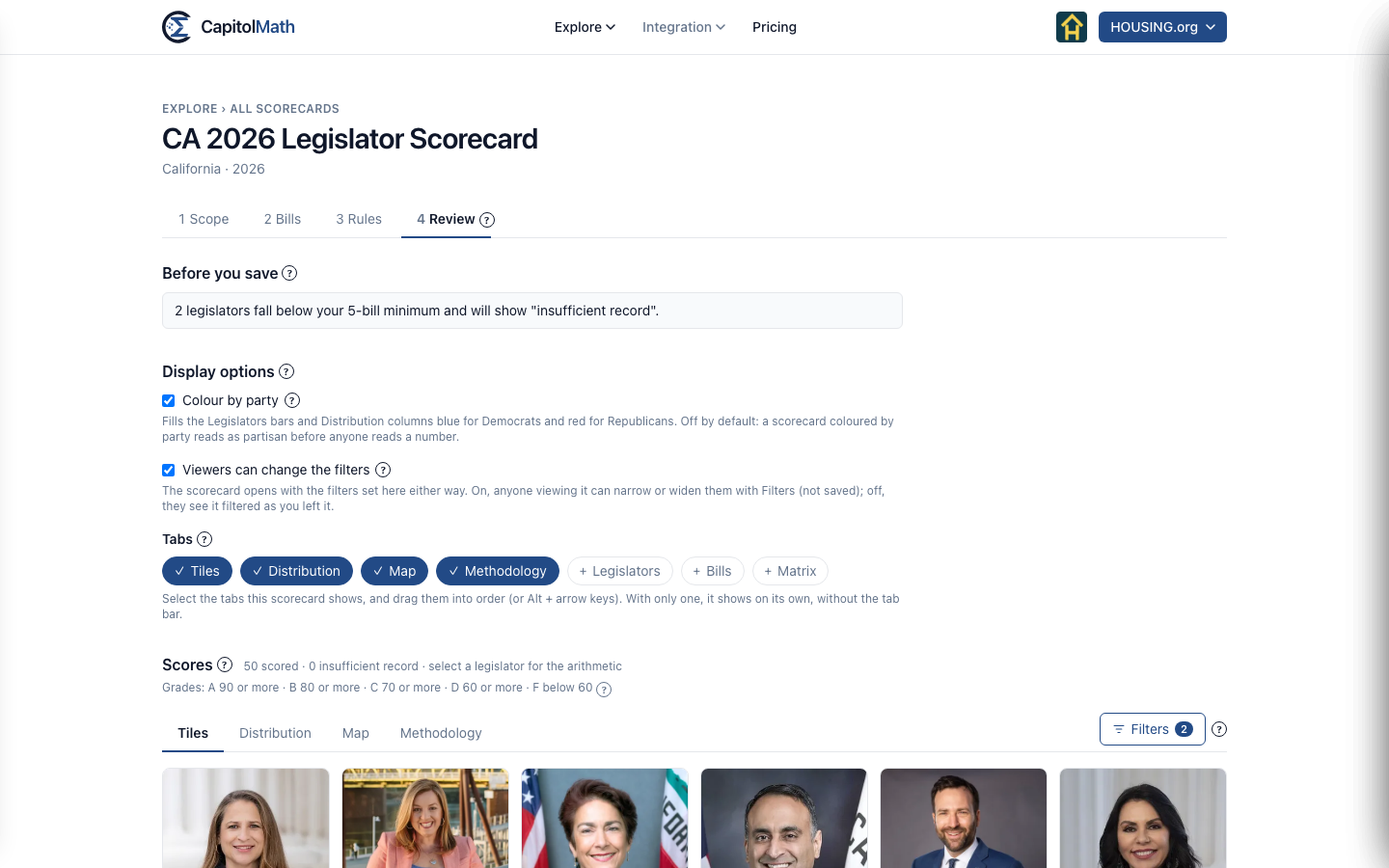
Before you save#
| Check | Why it matters |
|---|---|
| Add bills to score | A scorecard needs at least one bill with a recorded floor vote. |
| A bill has no recorded floor vote in the scored chambers | It contributes nothing to anyone's score. Choose a different roll call, or remove it. |
| A bill carries more than 25% of the total weight | With more than two bills, one vote would decide much of every score. |
| Legislators fall below your minimum | They'll show "insufficient record" instead of a score. Lower the minimum, or add bills, if that's too many. |
| Every score falls within 10 points | The scorecard may not tell legislators apart. Checked when five or more are scored. |
| 90% or more of scored legislators get one grade | The grades say little, even though the scores differ. |
| Half credit for a non-vote | It's hard to explain on a public page. Consider leaving non-votes out or counting them against. |
None of these stop you saving. They're there so you decide with the consequence in front of you, before anyone outside your organization sees the scores.
If it won't save#
- "There's already a scorecard called … in this organization." Names are unique in the organization, whatever their capitals. Go back to the Scope step and choose another.
- A chamber's votes "aren't recorded completely enough to score". The chamber no longer passes the coverage gate. Untick it on the Scope step.
- Your plan keeps no more scorecards. Delete one from the list, or see Plans and what they include.