SharingAPI keysHow to
Creating an API key
Create an API key on your profile, choose what it may do, and know when keys are revoked — including when a license changes.
Applies toEditor license
An API key lets your code — or an AI assistant, through the MCP server — read CapitolMath's data. You create keys on your own profile, choose what each one may do, and see the key once, when it's made.
Creating a key needs a Full license, whatever your role. A key spends the organization's API quota, and Basic licenses are free and unlimited, so keys go with the license that takes a seat.
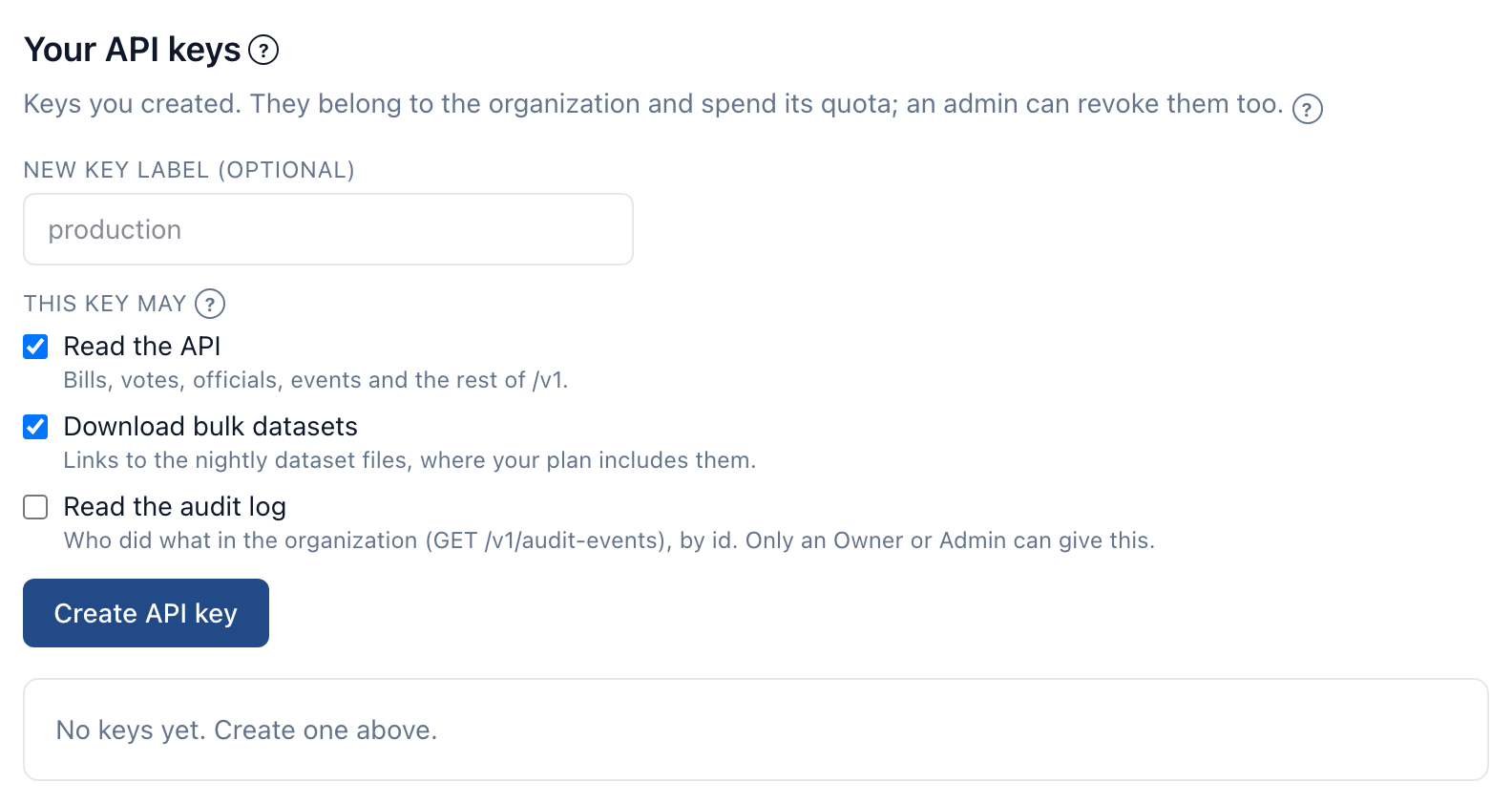
Create a key#
- Open My profile from the account menu and go to Your API keys.
- Under New key label (optional), name it for where it will be used — "production", "reporting script".
- Under This key may, tick what it may do. A key for a tool that needs one thing should hold only that.
- Select Create API key.
- Copy the key from Your new API key and store it somewhere safe, such as your system's secret manager. It won't be shown again — CapitolMath keeps only a hash of it.
Send it with each request as Authorization: Bearer vd_live_…. The API quickstart walks through a first call.
What a key may do#
| Permission | Lets the key |
|---|---|
| Read the API | Read bills, votes, officials, events and the rest of the REST API. |
| Download bulk datasets | Get links to the nightly dataset files, where your plan includes them. |
| Read the audit log | Read who did what in the organization. Offered only to an Owner or Admin, on a plan that includes the audit log API. |
| Change tracked items | Track bills and change their fields through /v1/tracked-items, as you could in the app. Offered only to someone who can track bills or change tracked items. Each change is checked against your permissions when it's made, and the audit log names the key and you. |
A new key starts with the first two. An organization can hold up to 10 active keys at once.
Whose key it is#
A key belongs to the organization, not to the person who made it, so an integration doesn't stop when its creator leaves. Every key draws on the organization's monthly quota; Your API usage, above your keys, shows how much of it your keys have used this period.
Owners and Admins see every key in the organization, with who created it, under All API keys on Organization, and can revoke any of them there.
Revoking a key#
Select Revoke beside the key. Anything using it stops working immediately, and it can't be restored — create a new key instead.
Keys are also revoked for you:
- When a Full license is taken away. If someone's license changes to Basic — by an Owner or Admin, or because a plan change leaves fewer Full licenses — every key they created is revoked at the same moment. Otherwise the old keys of someone with a Basic license would go on working.
- When someone is removed from the organization, or leaves it. Every key they created there is revoked, and each revocation is in the audit log. Keys are never handed to someone else: a key acts as the person who created it.
- When someone stops being an Owner or Admin, their keys lose Read the audit log. A key that could do nothing else is revoked.