AdministeringPeopleConcept
How sharing and access work
Who can see and change a saved view, list or scorecard: item owners, viewers and editors, groups, everyone, and Owners and Admins.
Saved views, lists, legislator scorecards, tracked items and reports are shared items: each belongs to the person who made it, and that person decides who else in the organization can see it and who can change it. One set of rules covers all of them, so once you know how sharing a saved view works, you know how sharing a scorecard works. Tracked items differ in a few ways, below.
Owners of an item#
The member who creates an item is its owner, shown as Owner at the top of its Sharing list. This is about the item, not the organization — a Member with a Full license owns the views they make, just as an organization Owner does.
If the owner leaves the organization, their items aren't deleted. Whoever removes them chooses a member with a Full license to take them over, and each stays shared exactly as before. See Managing members.
Viewers and editors#
An item is shared with The whole team, with a group, or with individual members, each as one of two kinds:
- Can view — they see it and apply it.
- Can edit — they can also change it and who it's shared with.
A new saved view or scorecard starts shared with The whole team, Can view. Remove that line from Sharing to keep it to yourself; the list then says only the owner can see it.
If several shares reach one person — through two groups and the whole organization, say — the strongest applies.
Changing anything takes an Editor license. Someone with a Viewer license who is shared an item to edit can still only look at it, and the Sharing list warns: Has a Viewer license, so can only view. Anyone, whatever their license, can hide a view shared with them from their own filter panel; it stays shared with everyone else.
Groups#
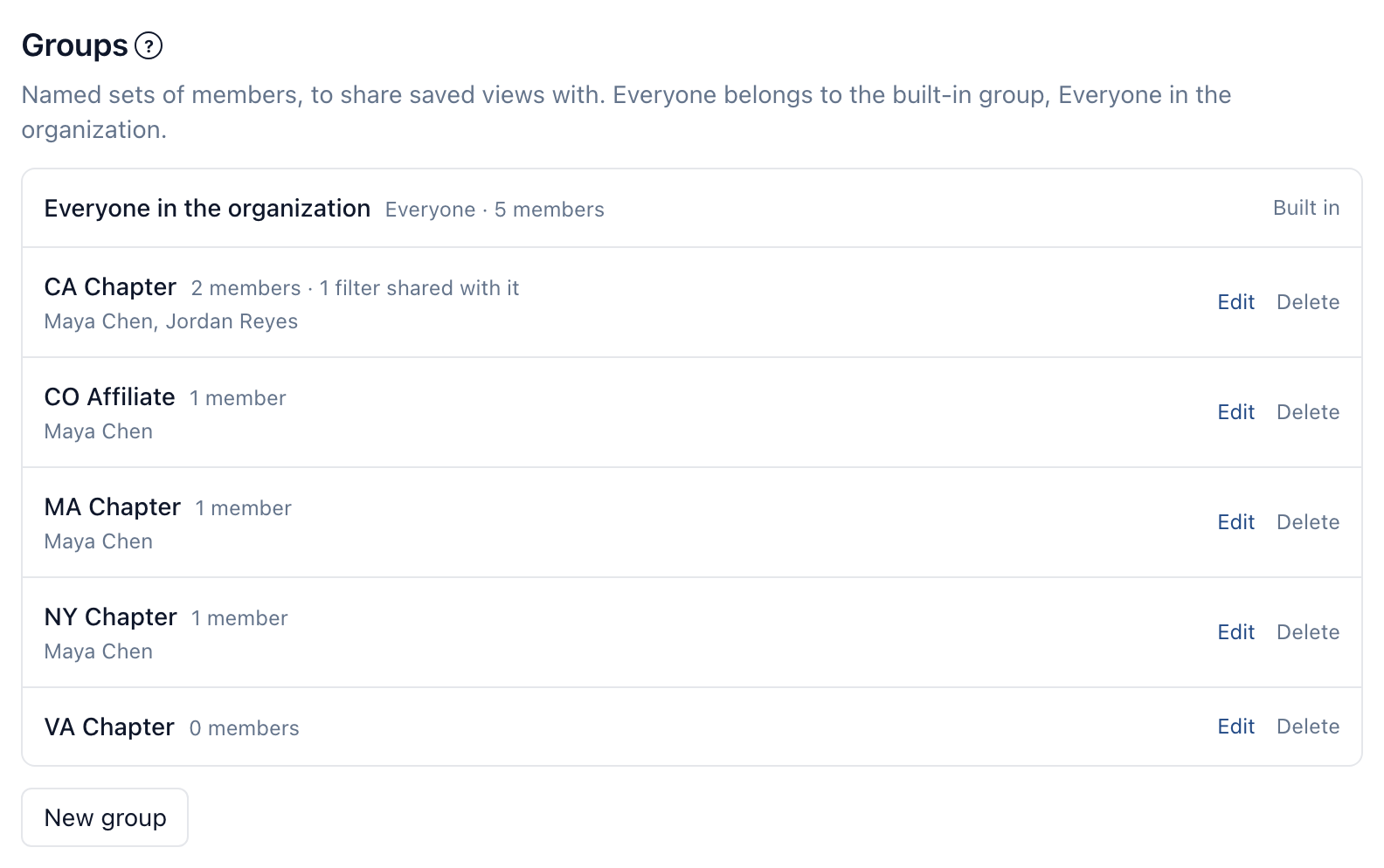
Groups are named sets of members — "CA Chapter" or "NY Chapter", for example — that Owners and Admins create under Organization → Groups. Share an item with a group and everyone in it receives it, including people who join the group later. The whole team is built in: everyone belongs to it from the moment they join, and it can't be renamed or deleted.
Deleting a group leaves its members in the organization; items shared with it simply stop being shared with it.
Owners and Admins see everything#
An organization's Owners and Admins reach every shared item in it, private ones included: what's in the organization is theirs to oversee, whoever made it. Organization → Saved views lists every view in the organization with its owner and who it's shared with. From there an Owner or Admin can delete any view — with or without a license, as they can revoke any API key — and change any view if they also hold a Full license. Scorecards follow the same rule.
The bills each member watches are theirs alone. Watches aren't shared and aren't listed on the Organization page.
Who can do what#
| See and apply | Change and share | Delete | |
|---|---|---|---|
| The item's owner | ✓ | With a Full license | With a Full license |
| Shared with Can edit | ✓ | With a Full license | — |
| Shared with Can view | ✓ | — | — |
| An organization Owner or Admin | ✓ | With a Full license | ✓ |
Tracked items and reports#
A tracked item starts shared with The whole team. Its owner, or someone with Manage All on Tracked items, changes that with Share on its panel. Everything about the item follows its sharing: its notes, tasks, unread changes, its Ours line on Legislation, and its row in every list, dashboard and CSV. Sharing a tracked item gives view access only. Who can change its position, status and the rest depends on their license and their permissions on Tracked items, not on the share. See The tracked item panel.
Reports are shared like saved views, to view or to edit. A report shows only what its owner can see, and a reader sees only the bills shared with them. See Reports.
Read All on Tracked items reaches every tracked item, whatever its sharing, and Manage All lets someone change, reshare and stop tracking every one; Reports have the same two boxes. Owners hold them. Admins with a Full license have both by default, and Admins with a Basic license have Read All. An Owner or Admin can grant them to a team member with a Full license, a workflow lead, and every change is in the audit log. See Roles and licenses.
What isn't a shared item#
API keys, widgets and webhooks belong to the organization rather than to a person, so they aren't shared this way. Every Owner and Admin can see and revoke any key, and oversee every widget and webhook; see Roles and licenses.