UsingSaved views & listsConcept
About saved views
What a saved view stores, why its results are worked out afresh each time it's used, and the three kinds and where each can be used.
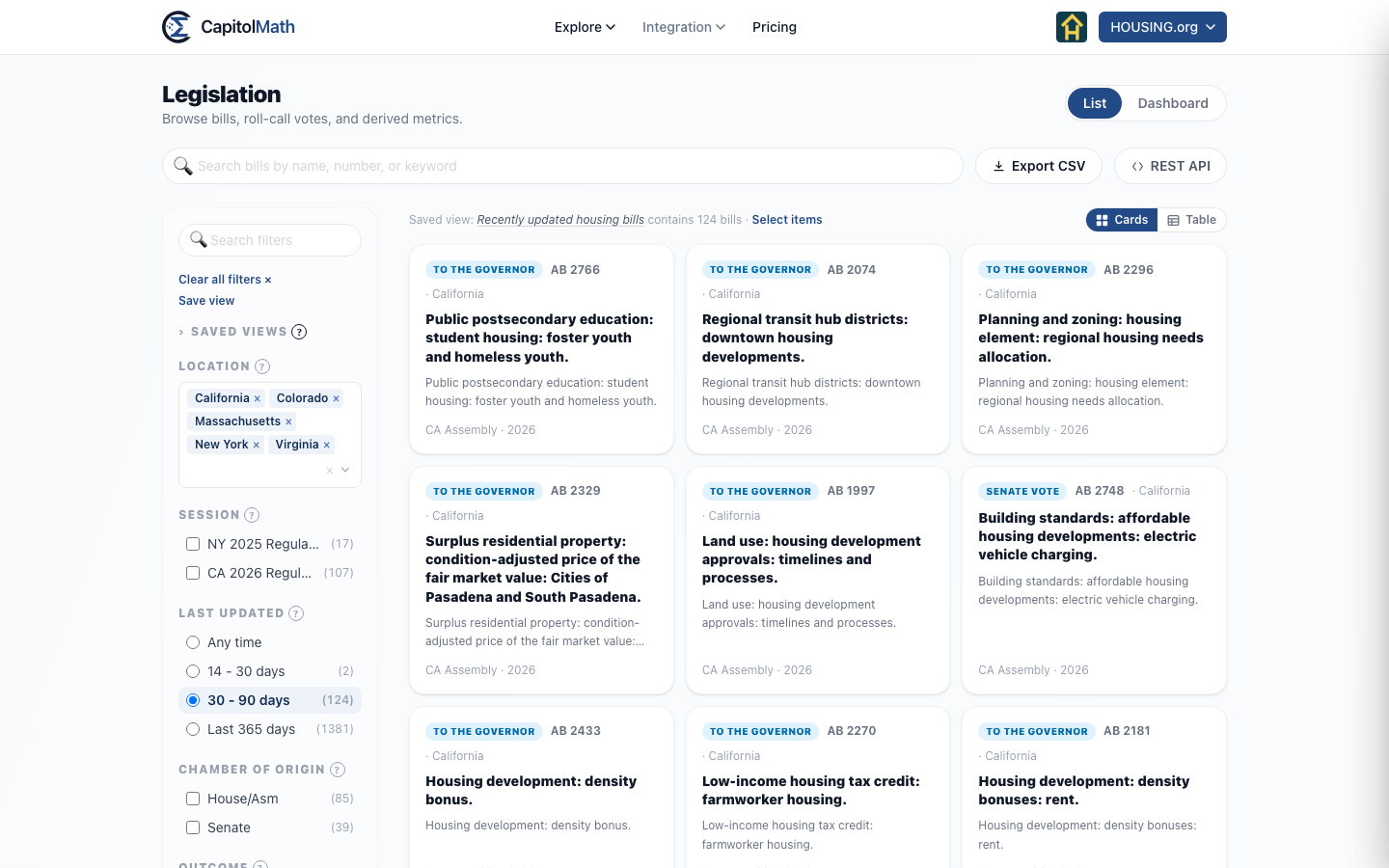
A saved view is a named set of filters — "Housing bills in committee", "Colorado legislators" — that you can apply again in one click, share with colleagues, and use as the source for a widget, a webhook, a scorecard or an API call. It saves the question, not the answer: the bills or people it shows are worked out afresh each time it's used.
What a view stores#
Everything that decides what the page shows:
- the jurisdictions and every filter you've set — session, outcome, stage, topic, party, committee and the rest;
- the text in the search box;
- the economic and social lean ranges;
- the display — cards, or a table with the column it's sorted by and the direction.
Applying a view puts all of that back, so a view saved as a table sorted by Last action reopens that way. It doesn't store the Dashboard tab or an open bill.
Read when it's used#
A view holds filters, not a list of results, so it moves with the data. "Last 7 days" under Last updated means the seven days before you open it, and a bill introduced tomorrow that fits the filters appears without anyone touching the view. A widget or webhook built on a view follows it too: editing the view changes every widget made from it. A webhook someone else owns pauses instead, until its owner reviews the change and resumes it; see Whose webhook it is.
The exception is a scorecard: starting one from a view copies the view's bills, so a bill that matches the view later doesn't join the scorecard.
Three kinds#
Each view belongs to one page, because each page's filters are different:
| Kind | Where you save and apply it | Also used by |
|---|---|---|
| Bills | Legislation → Saved views. The Calendar applies them too, any number at once, under Legislation Views, to show the meetings those bills are on. | Bill-list and chart widgets, webhooks, scorecards, the API |
| Elected officials | Elected Officials → Saved views | Official-list and chart widgets, webhooks, the API |
| Meetings | Calendar → Saved views. A calendar view can include bill views under Legislation. | Event-list widgets, webhooks, the API and the MCP server |
A view's name is unique among views of its kind in the organization, because the API finds a view by name.
Lists#
A list is a saved view of bills chosen by hand, kept in the order you put them in. Lists appear in the same Saved views group, under the heading Lists, with Bills I watch first. Your saved views of filters follow under Saved searches.
Categories#
Give a view a category to file it under a heading in the Saved views group — "Tax", "Allies". Typing a new name into Category creates it for everyone in the organization. Bill and official views have separate sets of categories. You can rename or delete the categories you created from My profile; Owners and Admins manage all of them from the Organization page.
Who sees a view#
A new view is shared with the whole team, to view, unless you change that when you save it. See Sharing a saved view. Saving and changing views takes a Full license; see Roles and licenses.
Deleting a view#
A view's owner (with a Full license) and the organization's Owners and Admins can delete it, from the Organization page or while editing it. Widgets, webhooks, scorecards and calendar views can be built on a view. If any are, the delete dialog lists them, and they're deleted with it. If you can't delete one of them, you can't delete the view. See Deleting something others depend on.