UsingBillsHow to
Filtering bills
Narrow the bill list with its filters, combine them to answer questions like which bills died in committee, and start again.
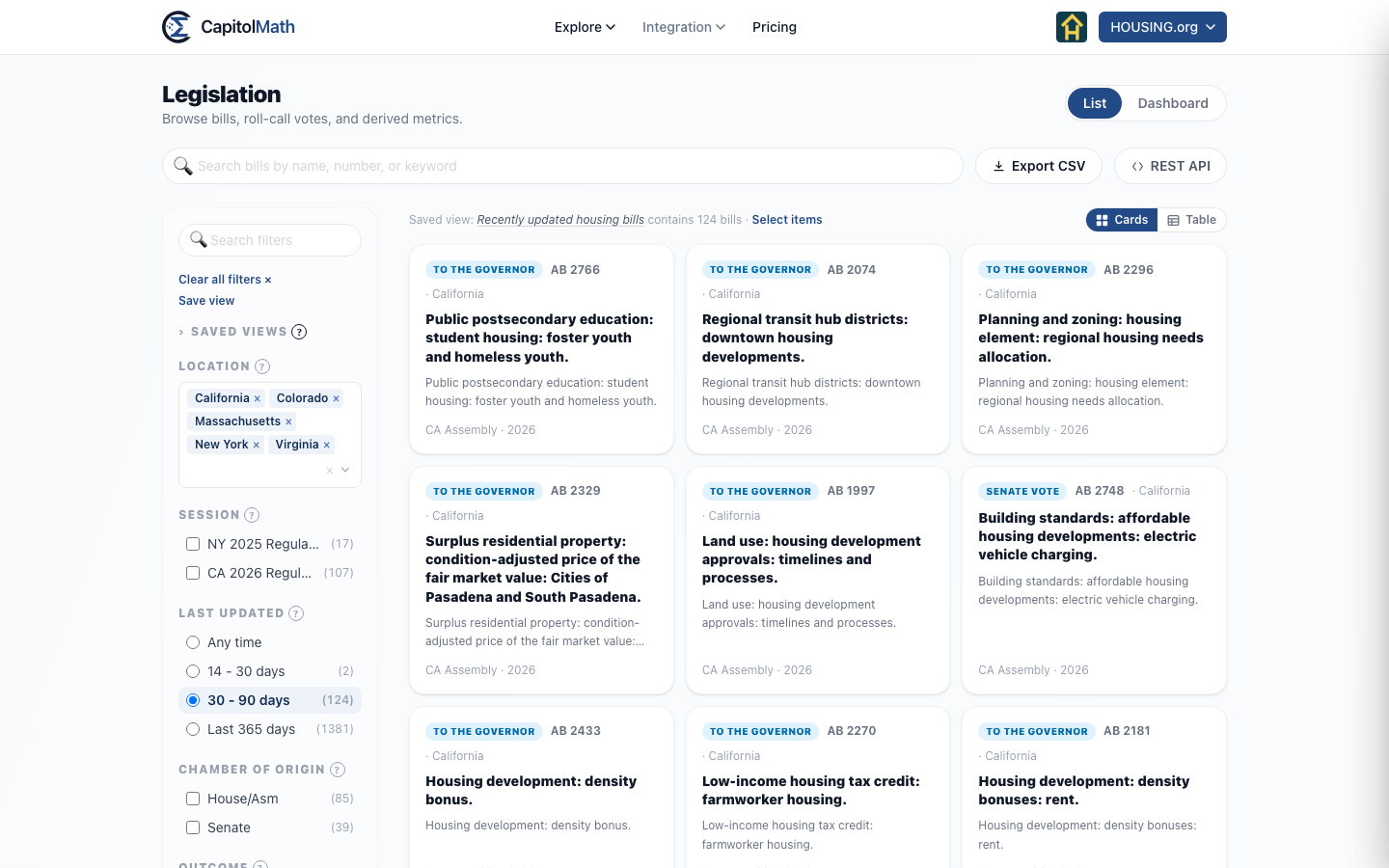
The filters down the left side of Legislation narrow the list to the bills you're after — one state's housing bills still in committee, say, or every bill that died this session. Each option shows how many bills it would leave.
Filter the list#
-
Under Jurisdiction, choose one or more jurisdictions, or All.
-
Tick options in the other groups. Within a group, ticking two options shows bills that match either; across groups, a bill has to match every group you've used. Passed and Vetoed under Outcome, with Housing under Topic, shows housing bills that passed or were vetoed.
-
Drag the Economic lean and Social lean sliders below the groups to keep only bills scored within a range.
-
Read the total above the list, then choose a bill to open it.
The list, the counts and the Dashboard update as you go. On a phone, the filters are behind the Filters button beside the search box.
Bill facets lists every group and what its options mean.
Questions the filters answer together#
Outcome and Furthest Stage measure different things — what became of a bill, and how far it got — so they combine:
- Bills that died in committee: Furthest Stage In Committee and Outcome Dead.
- Bills on the governor's desk now: Currently with Governor / Executive and Outcome In progress.
- One chamber's bills that got no further than committee: Chamber of Origin and Furthest Stage In Committee.
Find an option quickly#
Type in Search filters at the top of the filters to show only the options whose names contain what you type. Currently with has its own Search committees box, and shows its first few options until you expand it.
Start again#
Clear all filters × returns to the page's starting point — bills only, updated in the last 365 days — and keeps your jurisdictions and the search box as they are.
If you arrived from a committee's page, the list is scoped to that committee's bills, shown above the list with the committee's name. That scope isn't a filter, so Clear all leaves it in place; choose ✕ beside it to widen the list to the whole jurisdiction, or the committee's name to go back to it.
Keep a set of filters#
With a Full license, choose Save view under the filters to save what you've set — the filters, the search, and whether the list shows as cards or a sorted table — under a name. See Creating and editing a saved view.