UsingBillsConcept
Reading a bill
What CapitolMath shows about each bill it tracks, in its panel, section by section: progress and outcome, summary and lean, your organization's tracking, full text, sponsors, history, floor votes and similar bills.
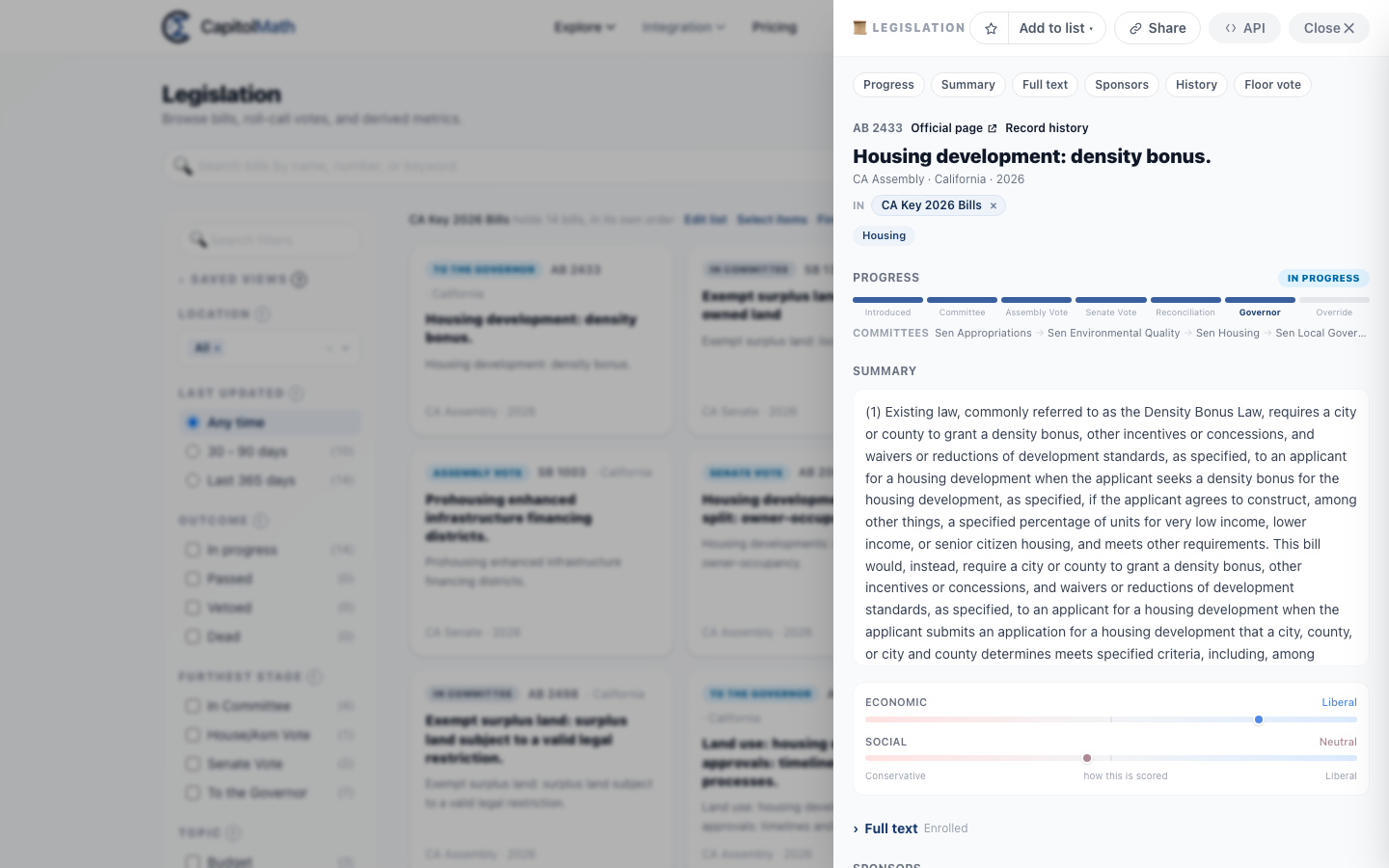
Choose a bill anywhere in CapitolMath and its panel slides in from the right, over whatever you were looking at. The panel shows only the sections this bill has — a state whose action history hasn't been rebuilt has no History, for instance — and the buttons along its top jump to each one.
At a glance#
For every bill it tracks, CapitolMath shows, in this order:
- Its number, title, chamber, jurisdiction, session and topics, with a link to the legislature's own page.
- Its most recent action, dated, in the legislature's words.
- Its progress — the steps it has reached and how it ended — and the committees that have handled it.
- Its summary and political lean, and, signed in, whether your organization tracks it.
- Its full text, every version, with a comparison between versions.
- Its sponsors.
- Its history: every recorded action, with each roll call and how members voted.
- Each chamber's floor vote by party, and a projection of the next one.
- Similar bills in other states — model legislation.
- A record history of when each value was recorded and what it replaced.
For the legislatures listed in Amendments, the panel also shows each amendment to the bill: who offered it, where, and what became of it.
Each is described below.
The top bar#
- Watch — follow the bill: its stage changes and hearings come to you by email, under your notification settings. It reads Watching while you do. Signed in only. See Watching a bill.
- Add to list — add the bill to a list, or start a new one. Signed in only. See Lists.
- Share copies a link that opens this bill. It carries the bill alone — not your filters or search.
- API shows the REST API request that returns this bill. Signed in only.
- Close ✕.
The heading#
The bill's number, then Official page — the bill on the legislature's own website, where CapitolMath has the link — and Ingest history, which opens a drawer showing when CapitolMath recorded each value and what it replaced. Below them: the title; the chamber, jurisdiction and session; the lists you've put it in; its topics; and its most recent action, dated, in the legislature's own words.
Progress#
The steps the bill has reached, from Introduced through each chamber's vote to the governor and a veto override, with a chip saying what became of it — Passed, Vetoed, Dead or In progress. Where a bill is Dead because its session's scheduled end has passed, with no adjournment recorded, an ⓘ beside the chip says so. The steps measure how far it got; the chip says how it ended. A bill can stop at the same step alive or dead. Under the steps, the committees that have handled it, in order, with the one holding it now in bold. Status and outcome labels explains each.
Takes effect#
For an enacted bill in a jurisdiction with effective dates: the date its main provisions take effect, and how sure that date is. The outcome chip under Progress says the same in a line: "takes effect Jan 1, 2027", "in effect since Jul 1, 2026" or "effective date contingent".
- How we got this date shows the evidence: the clause quoted from the enacted text, the rule and the dates it counted from, or the date the legislature published.
- Staggered acts say so. Each provision with its own date is listed under Provisions with separate effective dates.
See Effective dates.
Summary#
The bill's summary, where the source provides one, with its political lean — where it sits on the economic and social scales from 1 (conservative) to 5 (liberal). See Political lean scoring.
A bill marked Placeholder bill only states an intent to legislate and changes no law yet. Common in California, these bills are filled in later. Until then it shows no political lean, topics or whip count. They appear once its text is filled in.
Tracking#
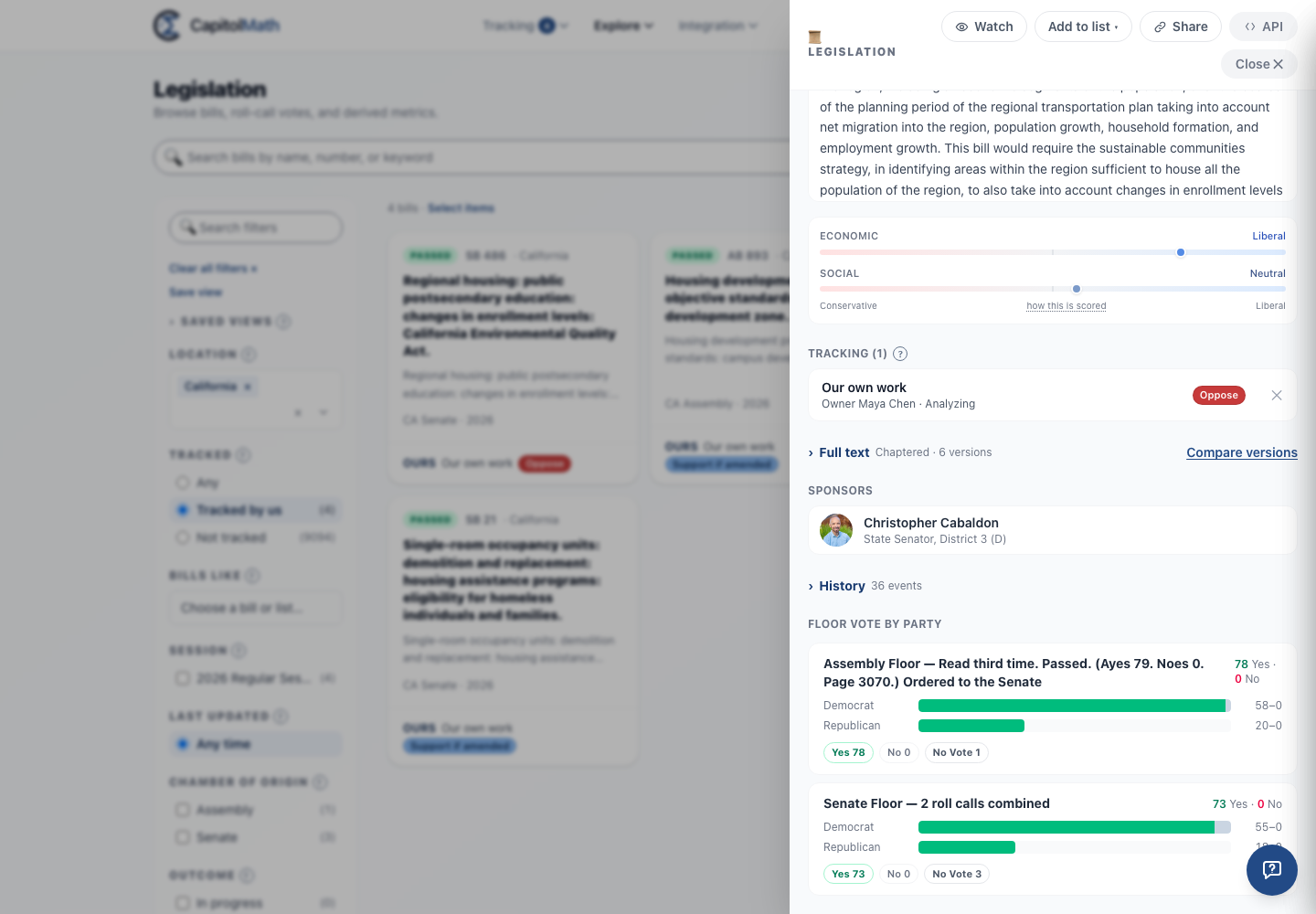
Signed in, right after the summary: your organization's tracked items for this bill that you can see, one row each for Our own work and, with clients turned on, each client, with its owner, status and position. A ⚑ mark says another client takes the opposite position. Select a row to open the tracked item, over the bill. It shows five, then Show more, and says Not tracked by your organization yet when there are none.
- + Track, for members with a Full license who can create tracked items, opens Track: choose a position, priority, status, owner and tags, or leave any of them empty for its default (no position or priority, your first stage, you as owner). A new tracked bill is shared with the whole team. With clients turned on it reads + Track for a client, and Track first asks who it's for: Our own work or a client not yet tracking the bill. A client's item is shared as that client's default share says (the whole team and the client's group, or its group only), and Track says which before you save. The button goes once every client tracks the bill.
- × on a row, for the item's owner and anyone with Manage All, stops tracking the bill, after asking: its position, fields, history, notes and tasks go. The bill, and anyone's personal Watch on it, stay.
Tracked bills also carry an Ours line on their card and table row (one per client, with the ⚑ mark where clients disagree), and the Tracked filter finds them. See Bill facets and Tracked items.
Full text#
Closed until you open it. Its heading names the version you're reading, since a bill as introduced can read very differently from the version that passed, and says how many versions there are — S56 B · 3 versions. Compare versions appears whenever there's more than one. If CapitolMath doesn't hold the text, it says Full text is not available.
Comparing versions#
The comparison opens on the version before the current one, on the left, against the current one, on the right. Each version in the two pickers is listed in order with the date it was printed. Passages are marked by when they changed, whichever side you put each version on: added is text the later version has and the earlier didn't, removed the reverse, and changed a passage both have in different words. Only differences hides what's the same.
Sponsors#
The first three sponsors; Show 5 more (or however many there are) lists the rest. Choose one to open their profile on top of the bill — close it and you're back at the bill.
Public activity#
Every recorded action, dated, in the legislature's own words, with who took it. Closed until you open it; its heading says how many events there are. A roll call shows Yes, No and No Vote counts — choose one to see the members.
When the bill is on the agenda of an upcoming hearing, meeting or floor calendar, a Scheduled tab lists them, soonest first, with the date, the time in the legislature's own time zone when it's known, the committee or chamber, the kind of meeting and the room; choose one to open it on the Events page. Canceled and postponed meetings aren't listed.
Where the bill has amendments, the action that decided each one carries a card: its label and number, its outcome, its sponsors, the effect the legislature published, and its roll call. Amendments decided together by one roll call share one set of counts, drawn on the first card. Other actions that name an amendment link to it, and an action named by amendments that haven't been listed yet links to them: Amendments with no outcome recorded. Switch Public activity between All, Amendments, Votes and Scheduled to see only the actions you want.
Amendments#
Amendments are shown in Public activity, under its Amendments tab. The Amendments link at the top of the panel opens Public activity on that tab. It says how many amendments there are and how many were adopted: Amendments · 6, 2 adopted, and how many a committee recommended that the chamber hasn't decided: Amendments · 12, 5 adopted, 2 recommended by committee. Each amendment appears as a card on the action that decided it. An amendment with no card on any action, such as one whose actions are no longer in the bill's history or one that was listed but never acted on, is listed below the cards under Not tied to an action in this public activity.
Each listed amendment shows its label, sponsors, where and when it was decided, its outcome, its tally and any published effect. Details lists the parts of a divided question, the amendments it amends or that amend it, the actions it was read from, and where CapitolMath read it. An outcome the record doesn't state is shown as Outcome unknown, never guessed. Recommended by committee means a committee's report names it and the chamber hasn't decided it; it isn't counted as adopted. Where the legislature records a committee as rejecting it, the outcome says Not adopted in committee. A divided question lists its parts by outcome: "Divided into 4 parts: 3 adopted, 1 not adopted".
A long list shows its first 100 rows, with Show 100 more under it. When a bill has more than 50 amendments with no outcome recorded, they're summed up in one line below the cards ("1,707 more listed amendments, outcome not recorded"), and the button under it shows them, 50 at a time.
When there's nothing to list, the Amendments tab says why: "None found by these rules", with what the rules cover, or that CapitolMath doesn't show amendments for that legislature yet. Where what CapitolMath reads for a legislature leaves some amendments out, or may leave an outcome out of date (in Colorado, for one), the tab says so beside the list. Amendments explains where they're read from and which legislatures are covered.
Floor vote by party#
Each chamber's floor vote as a bar per party — Democrat, Republican and Other — with the Yes and No totals. The heading names the motion when there was one roll call, or says how many were combined.
A projection of the bill's next floor vote may appear below the recorded ones — or alone, headed Projected floor vote by party, when no floor vote has happened yet. It shows how each member is expected to vote, with those too close to call marked Uncertain. A projection is a forecast, not a record. Whip counts explains how it's made and how to read it. If the chamber's whip counts are withdrawn, Whip count withdrawn appears instead, with the date and a link to the accuracy scoreboard.
For a state whose history hasn't been rebuilt, a shorter Timeline of the bill's recorded events may appear here instead.
Similar bills#
Shown when other bills share near-identical text with this one — model legislation moving between states. Open it to list them, or Pop out for the full comparison, with each bill's summary. Choosing one opens it on top of this bill, labeled as similar to it.
Dates are the legislature's calendar dates, so they read the same wherever you are.